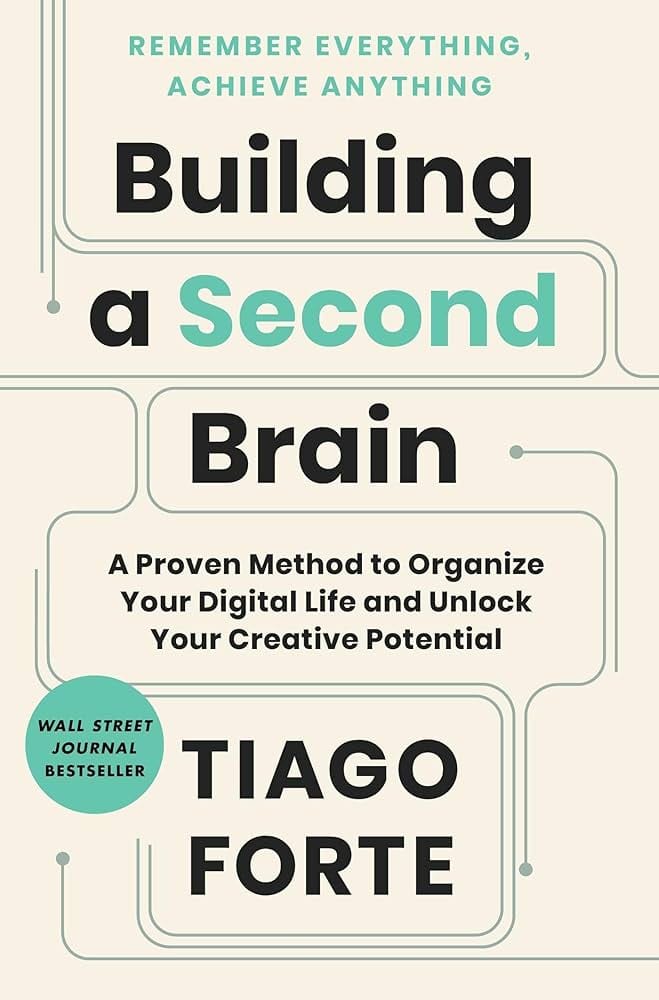

DESCRIPTION
“Building a second brain is getting things done for the digital age. It’s a … productivity method for consuming, synthesizing, and remembering the vast amount of information we take in, allowing us to become more effective and creative and harness the unprecedented amount of technology we have at our disposal”—
My Summary
Main Ideas, Takeaways & Similarities
Questions
I. What is the problem?
A. How is this problem formulated?
B. Why is this problem important?
C. What is the history of this problem?
D. Which prominent personalities have been interested in this problem?
II. What solutions to the problem are there?
A. What are the conclusions reached?
B. By what argument(s) is the conclusion reached?
C. What facts or assumptions serve as premises?
D. When a prominent personality offers a solution, does he also argue for or against other prominent personalities? Does he raise objections to alternative solutions? Does he consider objections to his own solutions?
III. Evaluation
A. What are the advantages and disadvantages of the alternative formulations to the problem?
B. Has the importance or history of the problem ever been misrepresented?
C. Are the solutions logically related to the premises?
D. Are the facts true? Are the assumptions acceptable? Are the objections answerable?
AI Summary
ChatGPT Summary
“Building a Second Brain” by Tiago Forte is structured into three main parts, each comprising several chapters. Here’s a summarized overview of each chapter:
Part One: The Foundation: Understanding What’s Possible
Chapter 1: Discusses the concept of self-improvement, emphasizing optimizing systems outside oneself to improve mental health and clarity.
Chapter 2: Explains the concept of a “second brain”, addressing information overload and the historical use of commonplace books by intellectuals and artists.
Chapter 3: Introduces the Second Brain as a personal assistant with superpowers like making ideas concrete, revealing new associations, incubating ideas, and sharpening unique perspectives. It also introduces the CODE method (Capture, Organize, Distill, Express) and its stages in personal knowledge management.
Part Two: The Method: The Four Steps of CODE
Chapter 4: Capture—Keep What Resonates: Discusses building a private collection of knowledge, exploring various types of knowledge assets and capture criteria like inspiration, usefulness, personal relevance, and surprise.
Chapter 5: Organize—Save for Actionability: Details organizing methods for ideas, focusing on actionability, the Cathedral Effect, and avoiding over-organization. It introduces PARA (Projects, Areas, Resources, Archives) as an organizing system.
Chapter 6: Distill—Find the Essence: Covers the discoverability of notes and introduces the Progressive Summarization Technique. It also discusses common mistakes in note-taking.
Chapter 7: Express—Show Your Work: Explores establishing a system that frees up attention, introduces Intermediate Packets (IPs) for organizing work, and discusses methods of resurfacing and reusing past work.
Part Three: The Shift: Making Things Happen
Chapter 8: The Art of Creative Execution: Discusses the process of capturing ideas, organizing them, distilling the best parts, and assembling them to create value. It introduces strategies to bring creative work together.
Chapter 9: The Essential Habits of Digital Organizers: Covers project checklists, weekly and monthly reviews, and noticing habits to make notes more discoverable.
Chapter 10: The Path of Self-Expression: Discusses the purpose of knowledge sharing and the shift from consuming to creating. It outlines twelve practical steps to start building a Second Brain.
This book presents a comprehensive method for managing digital information to enhance creativity and productivity, emphasizing the importance of a system that supports personal and professional growth.
Part One: The Foundation: Understanding What’s Possible
- Chapter 1 discusses the concept beyond self-improvement, emphasizing optimizing systems outside oneself
- Chapter 2 explains the concept of a second brain, addressing information overload and the historical use of commonplace books by intellectuals and artists
Chapter 3: How a Second Brain Works
- This chapter introduces the idea of a Second Brain as a personal assistant with superpowers like making ideas concrete, revealing new associations, incubating ideas, and sharpening unique perspectives
- It emphasizes the importance of not seeking perfectionism in tools, but reliability
- Key stages in personal knowledge management are introduced: Remembering, Connecting, Creating
- The CODE method is presented with steps like Capture, Organize, Distill, and Express
Capture Stage
- Emphasizes capturing knowledge that resonates and is actionable, improving mental health and clarity.
Organize Stage
- Focuses on organizing for action and clarity, avoiding rigidity in methods
Distill Stage
- Encourages distilling notes to their essence for rapid association and future utility
Express Stage
- Highlights the need to apply knowledge and shift from consuming to creating
Part Two: The Method: The Four Steps of CODE
- Chapters 4 to 7 elaborate on the CODE method in detail
Chapter 4: Capture—Keep What Resonates
- Discusses building a private collection of knowledge and how to generate compounding interest from thoughts
- Various types of knowledge assets and the concept of favorite problems are explored
- Capture criteria like inspiration, usefulness, personal relevance, and surprise are covered
Chapter 5: Organize—Save for Actionability
- Details organizing methods for ideas, focusing on actionability, the Cathedral Effect, and avoiding over-organization
- Introduces PARA (Projects, Areas, Resources, Archives) as an organizing system
Chapter 6: Distill—Find the Essence
- Covers discoverability of notes and introduces the Progressive Summarization Technique
- Discusses common mistakes in notetaking like over-highlighting, lack of purpose, and making the process difficult
Chapter 7: Express—Show Your Work
- Explores the challenge of establishing a system that frees up attention
- Introduces five kinds of Intermediate Packets (IPs) for organizing work
- Discusses the advantages of IPs, such as interruption-proofing, progress in any time span, quality improvement through feedback, and assembling building blocks for projects
- Various methods of resurfacing and reusing past work, including search, browsing, tags, and serendipity, are presented
These highlights provide an overview of the key concepts and methods discussed in the book, centered around effectively managing digital information to enhance creativity and productivity.
Part One: The Foundation: Understanding What’s Possible
Chapter 1 Where It All Started
- You may find this book in the “self-improvement” category, but in a deeper sense it is the opposite of self-improvement. It is about optimizing a system outside yourself, a system not subject to your limitations and constraints, leaving you happily unoptimized and free to roam, to wonder, to wander toward whatever makes you feel alive here and now in each moment.
Chapter 2 What Is a Second Brain?
- A separate study cited by the Times estimates that we consume the equivalent of 174 full newspapers’ worth of content each and every day, five times higher than in 1986.2
- Instead of empowering us, this deluge of information often overwhelms us.
- Information Overload has become Information Exhaustion, taxing our mental resources and leaving us constantly anxious that we’re forgetting something.
- For centuries, artists and intellectuals from Leonardo da Vinci to Virginia Woolf, from John Locke to Octavia Butler, have recorded the ideas they found most interesting in a book they carried around with them, known as a “commonplace book.”
- In The Case for Books, 5 historian and former director of the Harvard University Library Robert Darnton explains the role of commonplace books: Unlike modern readers, who follow the flow of a narrative from beginning to end, early modern Englishmen read in fits and starts and jumped from book to book. They broke texts into fragments and assembled them into new patterns by transcribing them in different sections of their notebooks. Then they reread the copies and rearranged the patterns while adding more excerpts. Reading and writing were therefore inseparable activities. They belonged to a continuous effort to make sense of things, for the world was full of signs: you could read your way through it; and by keeping an account of your readings, you made a book of your own, one stamped with your personality.
- Instead of consuming ever-greater amounts of content, we could take on a more patient, thoughtful approach that favors rereading, reformulating, and working through the implications of ideas over time.
- your Second Brain is a private knowledge collection designed to serve a lifetime of learning and growth, not just a single use case.
- quick audio memo to your phone as you drive, which gets automatically transcribed and saved in your notes.
Chapter 3 How a Second Brain Works
- Second Brain as the world’s best personal assistant.
Second Brain Superpower #1: Make Our Ideas Concrete
Second Brain Superpower #2: Reveal New Associations Between Ideas
- “Creative people are better at recognizing relationships, making associations and connections.”
Second Brain Superpower #3: Incubate Our Ideas Over Time
- recency bias. 4 We tend to favor the ideas, solutions, and influences that occurred to us most recently, regardless of whether they are the best ones.
Second Brain Superpower #4: Sharpen Our Unique Perspectives
- A recent study from Princeton University found that there is a certain kind of job that is least likely to be automated by machines in coming years. Surprisingly, it wasn’t jobs that required advanced skills or years of training that were predicted to fare best. It was jobs that required the ability to convey “not just information but a particular interpretation of information.”
- promoting or defending a particular perspective.
- one category of software I recommend as the centerpiece of your Second Brain: a digital notetaking app.
- four powerful characteristics
- Multimedia
- Informal
- Open-ended:
- Action-oriented:
- four powerful characteristics
- Digital notes combine the casual artistry of a daily sketchbook with the scientific power of modern software.
- Most important of all, don’t get caught in the trap of perfectionism: insisting that you have to have the “perfect” app with a precise set of features before you take a single note. It’s not about having the perfect tools—it’s about having a reliable set of tools you can depend on, knowing you can always change them later.
Remembering, Connecting, Creating: The Three Stages of Personal Knowledge Management
Introducing The CODE Method: The Four Steps to Remembering What Matters
- Capture: Keep What Resonates
- Adopting the habit of knowledge capture has immediate benefits for our mental health and peace of mind. We can let go of the fear that our memory will fail us at a crucial moment. Instead of jumping at every new headline and notification, we can choose to consume information that adds value to our lives and consciously let go of the rest.
- Organize: Save for Actionability
- When it comes to digital notes, we can use much easier and lighter ways of organizing. Because our priorities and goals can change at a moment’s notice, and probably will, we want to avoid organizing methods that are overly rigid and prescriptive. The best way to organize your notes is to organize for action, according to the active projects you are working on right now. Consider new information in terms of its utility, asking, “How is this going to help me move forward one of my current projects?”
- Organizing for action gives you a sense of tremendous clarity, because you know that everything you’re keeping actually has a purpose. You know that it aligns with your goals and priorities. Instead of organizing being an obstacle to your productivity, it becomes a contributor to it.
- Distill: Find the Essence
- There is a powerful way to facilitate and speed up this process of rapid association: distill your notes down to their essence.
- Your notes will be useless if you can’t decipher them in the future, or if they’re so long that you don’t even try. Think of yourself not just as a taker of notes, but as a giver of notes—you are giving your future self the gift of knowledge that is easy to find and understand.
- Express: Show Your Work
- ultimate purpose: sharing your own ideas, your own story, and your own knowledge with others.
- A common challenge for people who are curious and love to learn is that we can fall into the habit of continuously force-feeding ourselves more and more information, but never actually take the next step and apply it. We compile tons of research, but never put forward our own proposal. We gather untold business case studies, but never pitch one potential client. We study every piece of relationship advice available, but never ask anyone out on a date.
- It’s so easy to endlessly delay and postpone the experiences that would so enrich our lives. We think we’re not ready. We fear we’re not prepared. We cannot stand the thought that there is one little piece of information we’re missing that, if we had it, would make all the difference.
- Information becomes knowledge—personal, embodied, verified—only when we put it to use. You gain confidence in what you know only when you know that it works. Until you do, it’s just a theory.
- This is why I recommend you shift as much of your time and effort as possible from consuming to creating.
- What should you create? It depends on your skills, interests, and personality. If you are highly analytical, you could evaluate the many options for camping gear and create a list of recommended products to share with your friends. If you like to teach, you could record your favorite dessert recipe and post it on social media or a blog. If you care about a local cause such as public parks, you could create a plan to lobby the city council for more funding.
Part Two: The Method: The Four Steps of CODE
Chapter 4 Capture—Keep What Resonates
Building a Private Collection of Knowledge
Creating a Knowledge Bank: How to Generate Compounding Interest from Your Thoughts
- Knowledge assets can come from either the external world or your inner thoughts.
- External knowledge could include:
- Highlights:
- Insightful passages from books or articles you read.
- Quotes:
- Memorable passages from podcasts or audiobooks you listen to.
- Bookmarks and favorites: Links to interesting content you find on the web or favorited social media posts.
- Voice memos: Clips recorded on your mobile device as “notes to self.”
- Meeting notes: Notes you take about what was discussed during meetings or phone calls.
- Images: Photos or other images that you find inspiring or interesting.
- Takeaways: Lessons from courses, conferences, or presentations you’ve attended.
- Stories: Your favorite anecdotes, whether they happened to you or someone else.
- Insights: The small (and big) realizations you have.
- Memories: Experiences from your life that you don’t want to forget.
- Reflections: Personal thoughts and lessons written in a journal or diary.
- Musings: Random “shower ideas” that pop into your head.
- External knowledge could include:
- Twelve Favorite Problems: A Nobel Prize Winner’s Approach to Capturing
- Feynman’s approach was to maintain a list of a dozen open questions. When a new scientific finding came out, he would test it against each of his questions to see if it shed any new light on the problem. This cross-disciplinary approach allowed him to make connections across seemingly unrelated subjects, while continuing to follow his sense of curiosity.
- favorite problems from my students:
- How do I live less in the past, and more in the present?
- How do I build an investment strategy that is aligned with my mid-term and long-term goals and commitments?
- What does it look like to move from mindless consumption to mindful creation?
- How can I go to bed early instead of watching shows after the kids go to bed?
- How can my industry become more ecologically sustainable while remaining profitable?
- How can I work through the fear I have of taking on more responsibility?
- How can my school provide more resources for students with special needs?
- How do I start reading all the books I already have instead of buying more?
- How can I speed up and relax at the same time?
- How can we make the healthcare system more responsive to people’s needs?
- What can I do to make eating healthy easier?
- How can I make decisions with more confidence?
- favorite problems from my students:
- Take a moment now to write down some of your own favorite problems. Here are my recommendations to guide you:
- Ask people close to you what you were obsessed with as a child (often you’ll continue to be fascinated with the same things as an adult).
- Don’t worry about coming up with exactly twelve (the exact number doesn’t matter, but try to come up with at least a few).
- Don’t worry about getting the list perfect (this is just a first pass, and it will always be evolving).
- Phrase them as open-ended questions that could have multiple answers (in contrast to “yes/ no” questions with only one answer).
Capture Criteria: How to Avoid Keeping Too Much (or Too Little)
- Don’t save entire chapters of a book—save only select passages. Don’t save complete transcripts of interviews—save a few of the best quotes. Don’t save entire websites—save a few screenshots of the sections that are most interesting. The best curators are picky about what they allow into their collections, and you should be too. With a notes app, you can always save links back to the original content if you need to review your sources or want to dive deeper into the details in the future.
- Capture Criteria #1: Does It Inspire Me?
- Capture Criteria #2: Is It Useful?
- Capture Criteria #3: Is It Personal?
- Capture Criteria #4: Is It Surprising?
- Surprise is an excellent barometer for information that doesn’t fit neatly into our existing understanding, which means it has the potential to change how we think.
Ultimately, Capture What Resonates
- Here’s why: making decisions analytically, with a checklist, is taxing and stressful. It is the kind of thinking that demands the most energy. When you use up too much energy taking notes, you have little left over for the subsequent steps that add far more value: making connections, imagining possibilities, formulating theories, and creating new ideas of your own. Not to mention, if you make reading and learning into unpleasant experiences, over time you’re going to find yourself doing less and less of them. The secret to making reading a habit is to make it effortless and enjoyable.
- neuroscientific research that “emotions organize—rather than disrupt—rational thinking.”
- “Our intuitive mind learns, and responds, even without our conscious awareness.”
- If you ignore that inner voice of intuition, over time it will slowly quiet down and fade away. If you practice listening to what it is telling you, the inner voice will grow stronger.
Beyond Your Notetaking App: Choosing Capture Tools
The Surprising Benefits of Externalizing Our Thoughts
- First, you are much more likely to remember information you’ve written down in your own words. Known as the “Generation Effect,”
- Writing creates new knowledge that wasn’t there before. Each word you write triggers mental cascades and internal associations, leading to further ideas, all of which can come tumbling out onto the page or screen. Thinking doesn’t just produce writing; writing also enriches thinking.
Your Turn: What Would This Look Like If It Was Easy?
Chapter 5 Organize—Save for Actionability
The Cathedral Effect: Designing a Space for Your Ideas
- Cathedral Effect. 2 Studies have shown that the environment we find ourselves in powerfully shapes our thinking.
Organizing for Action: Where 99 Percent of Notetakers Get Stuck (And How to Solve It)
- Instead of having to sort your notes according to a complex hierarchy of topics and subtopics, you have to answer only one simple question: “In which project will this be most useful?” It assumes only that you are currently working on a certain set of projects, and that your information should be organized to support them.
- I will show you how to take the notes you’ve captured and save them according to a practical use case. By taking that small extra step of putting a note into a folder (or tagging it) for a specific project, such as a psychology paper you’re writing or a presentation you’re preparing, you’ll encounter that idea right at the moment it’s most relevant.
- If there isn’t a current project that your note would be useful for, we have a couple of other options of where to put it, including dedicated places for each of the main “areas” of your life that you are responsible for, and “resources,” which is like a personal library of references, facts, and inspiration.
- One of the biggest temptations with organizing is to get too perfectionistic, treating the process of organizing as an end in itself. There is something inherently satisfying about order, and it’s easy to stop there instead of going on to develop and share our knowledge. We need to always be wary of accumulating so much information that we spend all our time managing it, instead of putting it to use in the outside world.
- You’ll always need to use multiple platforms to move your projects forward. No single platform can do everything. The intention here is not to use a single software program, but to use a single organizing system, one that provides consistency even as you switch between apps many times per day. A project will be the same project whether it’s found in your notes app, your computer file system, or your cloud storage drive, allowing you to move seamlessly between them without losing your train of thought.
How PARA Works: Priming Your Mind (and Notes) for Action
- Projects: What I’m Working on Right Now
- If you are not already framing your work in terms of specific, concrete projects, making this shift will give you a powerful jump start to your productivity. Whether you’re self-employed, at a large corporation, or somewhere in between, we are all moving toward a world of project-based work. Knowing which projects you’re currently committed to is crucial to being able to prioritize your week, plan your progress, and say no to things that aren’t important.
- Areas: What I’m Committed to Over Time
- Resources: Things I Want to Reference in the Future
- What topics are you interested in?
- What subjects are you researching?
- What useful information do you want to be able to reference?
- Which hobbies or passions do you have?
- Archives: Things I’ve Completed or Put on Hold
- Projects that are completed or canceled
- Areas of responsibility that you are no longer committed to maintaining (such as when a relationship ends or after moving out of your apartment)
- Resources that are no longer relevant (hobbies you lose interest in or subjects you no longer care about)
- PARA isn’t a filing system; it’s a production system. It’s no use trying to find the “perfect place” where a note or file belongs. There isn’t one. The whole system is constantly shifting and changing in sync with your constantly changing life.
- Any piece of information (whether a text document, an image, a note, or an entire folder) can and should flow between categories.
- Question to ask to help you think of the projects that might be on your plate:
- Notice what’s on your mind: What’s worrying you that you haven’t taken the time to identify as a project? What needs to happen that you’re not making consistent progress on?
- Look at your calendar: What do you need to follow up on from the past? What needs planning and preparation for the future?
- Look at your to-do list: What actions are you already taking that are actually part of a bigger project you’ve not yet identified? What communication or follow-up actions you’ve scheduled with people are actually part of a bigger project?
- Look at your computer desktop, downloads folder, documents folder, bookmarks, emails, or open browser tabs: What are you keeping around because it is part of a larger project?
Chapter 6 Distill—Find the Essence
Discoverability—The Missing Link in Making Notes Useful
- The most important factor in whether your notes can survive that journey into the future is their discoverability—how easy it is to discover what they contain and access the specific points that are most immediately useful.
Highlighting 2.0: The Progressive Summarization Technique
- The technique is simple: you highlight the main points of a note, and then highlight the main points of those highlights, and so on, distilling the essence of a note in several “layers.” Each of these layers uses a different kind of formatting so you can easily tell them apart.
- Looking at the note above, can you see how those few highlighted sentences jump out and catch your eye? They convey the main message of this article in a highly distilled form that takes just seconds to grasp.
- I’ll add an “executive summary” at the top of the note with a few bullet points summarizing the article in my own words.
The Three Most Common Mistakes of Novice Notetakers
- Mistake #1: Over-Highlighting
- Mistake #2: Highlighting Without a Purpose in Mind
- The rule of thumb to follow is that every time you “touch” a note, you should make it a little more discoverable for your future self
- Mistake #3: Making Highlighting Difficult
- The true test of whether a note you’ve created is discoverable is whether you can get the gist of it at a glance.
- The more you exercise your judgment, the more efficient and enjoyable your notetaking will become because you know that every minute of attention you invest is creating lasting value. There are few things more satisfying than the feeling of making consistent progress.
Chapter 7 Express—Show Your Work
- challenge we face in building a Second Brain is how to establish a system for personal knowledge that frees up attention, instead of taking more of it.
- five kinds of Intermediate Packets
- Distilled notes: Books or articles you’ve read and distilled so it’s easy to get the gist of what they contain (using the Progressive Summarization technique you learned in the previous chapter, for example).
- Outtakes: The material or ideas that didn’t make it into a past project but could be used in future ones.
- Work-in-process: The documents, graphics, agendas, or plans you produced during past projects.
- Final deliverables: Concrete pieces of work you’ve delivered as part of past projects, which could become components of something new.
- Documents created by others: Knowledge assets created by people on your team, contractors or consultants, or even clients or customers, that you can reference and incorporate into your work.
- First, you’ll become interruption-proof because you are focusing only on one small packet at a time, instead of trying to load up the entire project into your mind at once. You become less vulnerable to interruptions, because you’re not trying to manage all the work-in-process in your head.
- Second, you’ll be able to make progress in any span of time. Instead of waiting until you have multiple uninterrupted hours—which, let’s face it, is rare and getting rarer—you can look at how many minutes you have free and choose to work on an IP that you can get done within that time, even if it’s tiny. Big projects and goals become less intimidating because you can just keep breaking them down into smaller and smaller pieces, until they fit right into the gaps in your day.
- Third, Intermediate Packets increase the quality of your work by allowing you to collect feedback more often. Instead of laboring for weeks in isolation, only to present your results to your boss or client and find out you went in the wrong direction, you craft just one small building block at a time and get outside input before moving forward. You’ll find that people give much better feedback if they’re included early, and the work is clearly in progress.
- Fourth, and best of all, eventually you’ll have so many IPs at your disposal that you can execute entire projects just by assembling previously created IPs.
Assembling Building Blocks: The Secret to Frictionless Output
- Favorites or bookmarks saved from the web or social media
- Journal or diary entries with your personal reflections
- Highlights or underlined passages in books or articles
- Messages, photos, or videos posted on social media
- Slides or charts included in presentations
- Diagrams, mind maps, or other visuals on paper or in apps
- Recordings of meetings, interviews, talks, or presentations Answers to common questions you receive via email
- Written works, such as blog posts or white papers Documented plans and processes such as agendas, checklists, templates, or project retrospectives
How to Resurface and Reuse Your Past Work
- Retrieval Method #1: Search
- Search should be the first retrieval method you turn to.
- Retrieval Method #2: Browsing
- Retrieval Method #3: Tags
- Retrieval Method #4: Serendipity
Part Three: The Shift: Making Things Happen
Chapter 8 The Art of Creative Execution
- Through the simple acts of capturing ideas, organizing them into groups, distilling the best parts, and assembling them together to create value for others, we are practicing the basic moves of knowledge work in such a way that we can improve on them over time.
- The model of divergence and convergence is so fundamental to all creative work, we can see it present in any creative field.
- The first two steps of CODE, Capture and Organize, make up divergence.
- The final two steps, Distill and Express, are about convergence.
The Three Strategies I Use to Bring Creative Work Together
1. The Archipelago of Ideas: Give Yourself Stepping-Stones
- To create an Archipelago of Ideas, you divergently gather a group of ideas, sources, or points that will form the backbone of your essay, presentation, or deliverable. Once you have a critical mass of ideas to work with, you switch decisively into convergence mode and link them together in an order that makes sense.
- Creating outlines digitally instead of on paper offers multiple major advantages:
- A digital outline is far more malleable and flexible—you can add bullet points and cross them off, rearrange and expand on them, add bolding and highlights, and edit them after the fact as your thinking changes.
- The outline can link to more detailed content—instead of trying to cram every last point onto the same page, you can link to both your own private notes and public resources on the web, which helps avoid overloading the outline with too much detail.
- The outline is interactive and multimedia—you can add not only text, but images, GIFs, videos, attachments, diagrams, checkboxes, and more.
- The outline is searchable—even if it gets long, you have a powerful search feature to instantly call up any term you’re looking for.
- The outline can be accessed and edited from anywhere—unlike a piece of paper in a notebook, your outline is instantaneously synced to every one of your devices, and it can be viewed, edited, and added to from anywhere.
2. The Hemingway Bridge: Use Yesterday’s Momentum Today
- Write down ideas for next steps: At the end of a work session, write down what you think the next steps could be for the next one.
- Write down the current status: This could include your current biggest challenge, most important open question, or future roadblocks you expect.
- Write down any details you have in mind that are likely to be forgotten once you step away: Such as details about the characters in your story, the pitfalls of the event you’re planning, or the subtle considerations of the product you’re designing.
- Write out your intention for the next work session: Set an intention for what you plan on tackling next, the problem you intend to solve, or a certain milestone you want to reach.
3. Dial Down the Scope: Ship Something Small and Concrete
- One of the best uses for a Second Brain is to collect and save the scraps on the cutting-room floor in case they can be used elsewhere.
- Knowing that nothing I write or create truly gets lost—only saved for later use—gives me the confidence to aggressively cut my creative works down to size without fearing that I’ve wasted effort or that I’ll lose the results of my thinking forever.
- If you want to write a book, you could dial down the scope and write a series of online articles outlining your main ideas. If you don’t have time for that, you could dial it down even further and start with a social media post explaining the essence of your message.
- Make an outline with your goals, intentions, questions, and considerations for the project. Start by writing out anything already on your mind, and then peruse your PARA categories for related notes and Intermediate Packets. These could include points or takeaways from previously created notes, inspiration from models or examples you want to borrow from, or templates you can use to follow best practices.
- Is there a book or article you could extract some excerpts from as inspiration?
- Are there websites that might have resources you could build upon?
- Are there podcasts by experts you could subscribe to and listen to while commuting or doing household chores?
- Are there relevant IPs buried in other projects you’ve worked on in the past?
Chapter 9 The Essential Habits of Digital Organizers
- Project Checklists: Ensure you start and finish your projects in a consistent way, making use of past work.
- Weekly and Monthly Reviews: Periodically review your work and life and decide if you want to change anything.
- Noticing Habits: Notice small opportunities to edit, highlight, or move notes to make them more discoverable for your future self.
- What most people are missing, however, is a feedback loop—a way to “recycle” the knowledge that was created as part of past efforts so it can be used in future ones as well.
- Checklist #1: Project Kickoff
- Capture my current thinking on the project.
- What do I already know about this project?
- What don’t I know that I need to find out?
- What is my goal or intention?
- Who can I talk to who might provide insights?
- What can I read or listen to for relevant ideas?
- Review folders (or tags) that might contain relevant notes.
- Search for related terms across all folders.
- Move (or tag) relevant notes to the project folder.
- Create an outline of collected notes and plan the project.
- The important thing to remember as you move through this checklist is that you are making a plan for how to tackle the project, not executing the project itself.
- Answer premortem questions: What do you want to learn? What is the greatest source of uncertainty or most important question you want to answer? What is most likely to fail?
- Communicate with stakeholders: Explain to your manager, colleagues, clients, customers, shareholders, contractors, etc., what the project is about and why it matters.
- Define success criteria: What needs to happen for this project to be considered successful? What are the minimum results you need to achieve, or the “stretch goals” you’re striving for?
- Have an official kickoff: Schedule check-in calls, make a budget and timeline, and write out the goals and objectives to make sure everyone is informed, aligned, and clear on what is expected of them. I find that doing an official kickoff is useful even if it’s a solo project!
- Capture my current thinking on the project.
- Checklist #2: Project Completion
- We don’t want to limit ourselves to merely celebrating the end of a project. We want to learn from the experience and document any thinking that could add value in the future.
- Mark project as complete in task manager or project management app.
- Cross out the associated project goal and move to “Completed” section.
- Review Intermediate Packets and move them to other folders.
- Move project to archives across all platforms.
- If project is becoming inactive: add a current status note to the project folder before archiving.
- Answer postmortem questions: What did you learn? What did you do well? What could you have done better? What can you improve for next time?
- Communicate with stakeholders: Notify your manager, colleagues, clients, customers, shareholders, contractors, etc., that the project is complete and what the outcomes were.
- Evaluate success criteria: Were the objectives of the project achieved? Why or why not? What was the return on investment?
- Officially close out the project and celebrate: Send any last emails, invoices, receipts, feedback forms, or documents, and celebrate your accomplishments with your team or collaborators so you receive the feeling of fulfillment for all the effort you put in.
The Review Habit: Why You Should Batch Process Your Notes (and How Often)
- A Weekly Review Template: Reset to Avoid Overwhelm
-
- Clear my email inbox.
-
- Check my calendar.
-
- Clear my computer desktop.
-
- Clear my notes inbox.
-
- Choose my tasks for the week.
-
- A Monthly Review Template: Reflect for Clarity and Control
-
- Review and update my goals
-
- Review and update my project list.
-
- Review my areas of responsibility.
-
- Review someday/ maybe tasks.
-
- Reprioritize tasks.
-
- We have to remember that we are not building an encyclopedia of immaculately organized knowledge. We are building a working system.
Chapter 10 The Path of Self-Expression
- The purpose of knowledge is to be shared. What’s the point of knowing something if it doesn’t positively impact anyone, not even yourself?
- There are people who will be reached only if they are reached by you. People who have no other source for the kind of guidance you can provide. People who don’t know where to look for solutions to problems they might not even know they have. You can be that person for them. You can pay forward some of the immense care that has been poured into you by a lifetime of parents, teachers, and mentors. With mere words, you can open doors to unimaginable horizons for the people around you.
- The Shift from Consuming to Creating
- four steps of CODE:
- Keep what resonates (Capture)
- Save for actionability (Organize)
- Find the essence (Distill)
- Show your work (Express)
- twelve practical steps you can take right now to get your Second Brain started.
- Decide what you want to capture.
- Choose your notes app.
- Choose a capture tool.
- Get set up with PARA. Set up the four folders of PARA
- Get inspired by identifying your twelve favorite problems.
- Automatically capture your ebook highlights.
- Practice Progressive Summarization.
- Experiment with just one Intermediate Packet.
- Make progress on one deliverable.
- Schedule a Weekly Review.
- Assess your notetaking proficiency.
- Join the PKM community.